Managing Your Profile and Appearance
How to change your name, email, photo and the app's theme, accent colour and density.
Overview
Profile settings hold your name, email and photo. Appearance settings control the theme, accent colour and density. Both are personal: they do not change other members' views or the agency's public site.
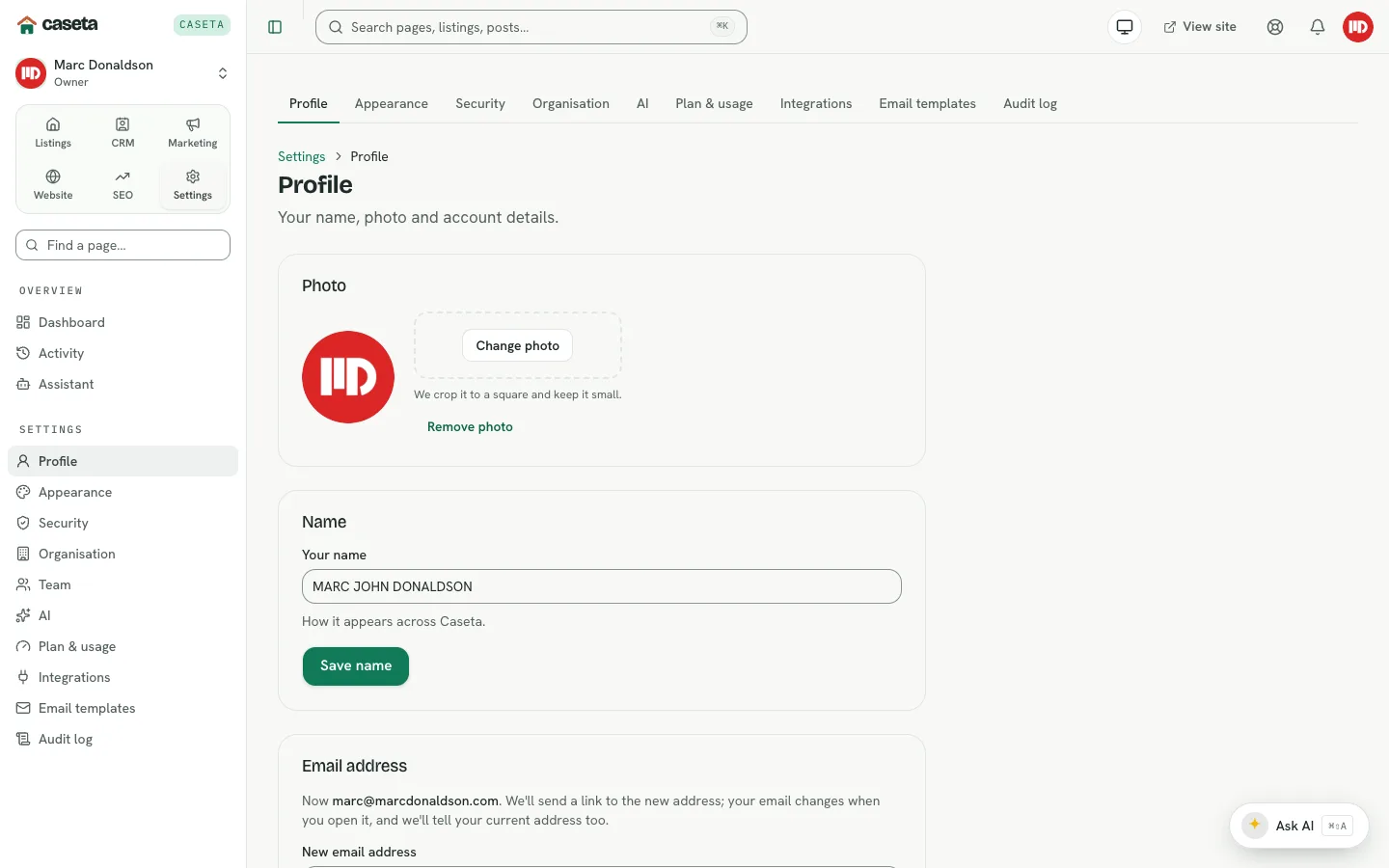
Profile
Open Settings → Profile.
Change your name
| Field | Purpose | Validation |
|---|---|---|
| Name | The name shown in the app | Required; 1–80 characters |
Save. The name updates in the account menu, activity and greetings.
Change your email
| Field | Purpose | Validation |
|---|---|---|
| New email | The address you sign in with | A valid address; a recent confirmation may be required |
Follow the confirmation email to complete the change. Until it is confirmed, the old address remains the sign-in address.
Change your photo
Upload an image in the photo panel. The browser prepares it (fits and converts it to WebP). Remove the photo to fall back to initials.
Delete your account
The Delete account panel links to a separate confirmation page. Deletion is
irreversible and requires typing DELETE. See the delete page for the exact consequences.
Appearance
Open Settings → Appearance.
| Field | Options | Effect |
|---|---|---|
| Theme | Light, Dark, System | The app's colour scheme |
| Accent | One of six accents | Buttons, links and highlights |
| Density | Comfortable, Compact | Spacing in tables and forms |
Save. The choice is stored for your account and applied on your next page load. The theme toggle in the header changes the theme quickly; the appearance page is the full control.
Common Problems
- The name does not change. Check the field length; it must be 1–80 characters.
- The email change does not take effect. Confirm the new address from the email.
- The photo upload fails. Use an image the browser can decode and keep it reasonably
sized.
- The theme resets. A browser that blocks cookies may not remember it; the account
preference is the source on the next load.
- You cannot delete the account. Your role may still own an organisation; resolve
ownership first.
Security and Privacy
Your email is used for sign-in and notifications. Your photo is visible to your organisation and may appear in shared contexts. Do not upload an image you do not have the right to use.
Screenshots

Shows the profile details form