Using the SEO Dashboard and Tools
A reference to Caseta's SEO checks: site audit, page health, page speed, Search Console, page optimiser, rankings, structured data and sitemap.
Overview
The SEO workspace checks the live public site and explains what search engines and AI assistants see. It is diagnostic: it does not change the site for you. Use its findings with the Website tools to fix titles, descriptions, indexing, speed and structured data.
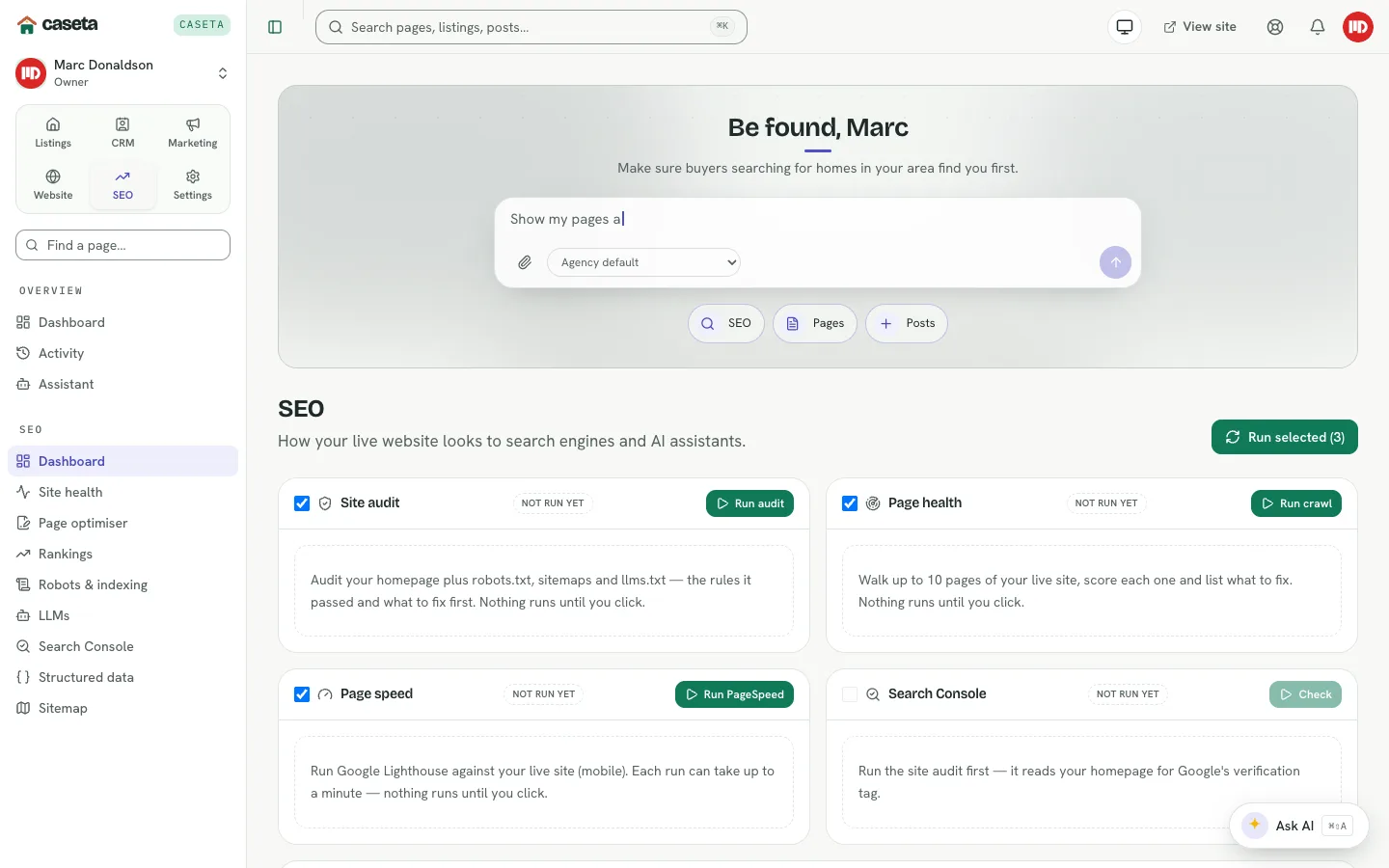
The SEO dashboard
Open SEO → Dashboard. Choose the checks to run and start the audit. The page reports:
| Panel | What it covers |
|---|---|
| Site audit | Errors, missing metadata and search-engine problems across the live site |
| Page health | Which pages are healthy or need attention |
| Page speed | Loading performance |
| Search Console | Whether the site is connected to Google Search Console |
| Audit report | The most recent stored findings |
| LLMs snapshot | Whether llms.txt exists and is enabled |
An audit reflects the site at the time it ran. Re-run it after publishing changes.
Site health
Open SEO → Site health for the detailed scan:
- pages that return errors,
- pages missing a title or description,
- pages that look wrong to search engines,
- links to broken or missing destinations.
Use the findings to fix the underlying page or redirect.
Page optimiser
Open SEO → Page optimiser. Every page, post and property is scored as search engines see it, with plain-language improvements. A low score usually means a short title, a missing description, thin content, or an indexing problem.
Rankings
Open SEO → Rankings to see:
- Sitemap coverage — how much of the site search engines can list,
- Search readiness — indexability and canonical signals,
- Page speed — how quickly pages load.
Search Console
Open SEO → Search Console. The page reports whether the site is added to Google Search Console and what to do next. Search Console is the source for impressions, clicks and the queries that bring visitors. Adding the site is a manual step with Google; the page guides you through it.
Structured data
Open SEO → Structured data. The page validates the property markup used for rich results. Fix missing or invalid property fields on the listing, then validate again.
Sitemap
Open SEO → Sitemap to inspect the automatic sitemap and a visual map of how pages link together. The Automatic sitemap panel can be enabled or disabled and saved. The In the sitemap panel lists what is included.
Understanding the limits
- Checks run against the live site; drafts and unpublished content are not included.
- Search Console data depends on Google's verification and reporting delay.
- Structured data reflects the current listing fields; incomplete listings produce weaker
markup.
- A passing audit is not a ranking guarantee.
Common Problems
- The audit cannot reach the site. The site may be offline, behind a domain that is
not verified, or blocking the checker. Check Website settings and Custom domains.
- Pages are missing from the sitemap. They may be drafts, noindex, or excluded by the
sitemap settings.
- Search Console is not connected. Complete Google's verification; the page explains
the steps.
- Structured-data errors persist. Fill the missing property fields and revalidate.
- Scores do not change after a fix. Re-run the audit; results are snapshots.
Screenshots

Shows the seo audit checks panel