Viewing the Activity Feed
How to read, filter and search the organisation-wide activity trail in Caseta.
Overview
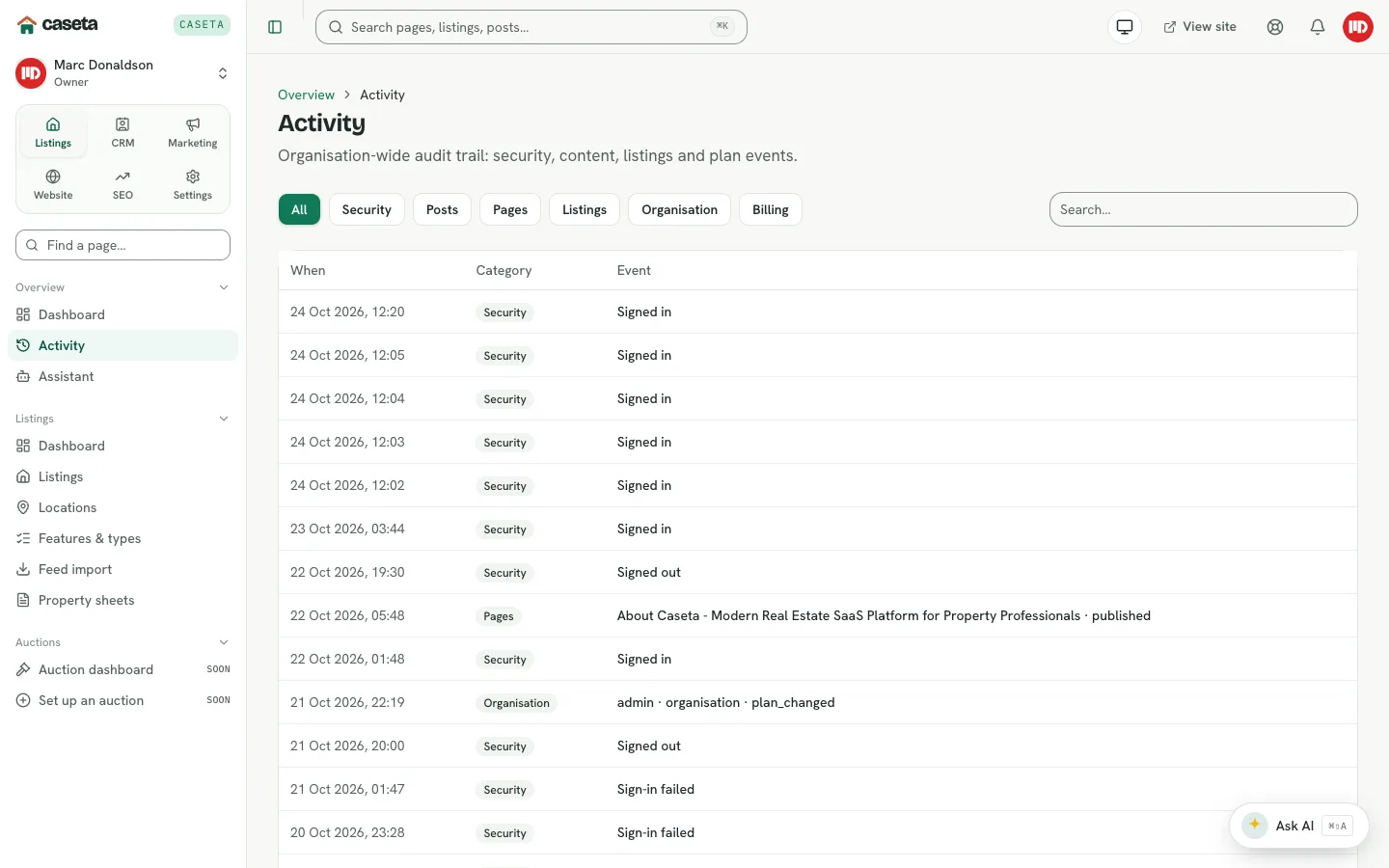
Activity is a readable, organisation-wide trail. It combines audit events (sign-ins, security changes, organisation and billing changes) with recent content and listing updates. It is designed for day-to-day awareness; the fuller, filterable audit view for managers is Settings → Audit log when that feature is enabled.
Who Is This For?
Any signed-in member who wants to see what changed recently. Access to the activity page is neutral: it is not restricted by area grants.
Step-by-Step Instructions
Step 1: Open Activity
Choose Activity under Overview in the sidebar, or open /activity.
Step 2: Filter by category
Select a category chip:
| Category | Shows |
|---|---|
| All | Everything in the trail |
| Security | Sign-ins, password and two-factor changes, session revocations |
| Posts | Blog post changes |
| Pages | Page changes |
| Listings | Listing changes |
| Organisation | Organisation and team events |
| Billing | Subscription and payment events |
Step 3: Search
Type in the Search box and press Enter or leave the field to apply the filter. The search is applied to the visible event text.
Step 4: Open a linked event
Some events link to the related page, such as a security event opening the security activity page. Select the event text to follow the link.
Understanding the Columns
| Column | Meaning |
|---|---|
| When | Date and time of the event (Europe/Madrid display time) |
| Category | Security, posts, pages, listings, organisation or billing |
| Event | A readable description, linked where a destination exists |
What Happens Next?
The feed shows up to the most recent 50 matching events in this view. For a longer, exportable trail, use Settings → Audit log if the feature is enabled and your role allows it.
Common Problems
- The list is empty. There may be no events for the selected category yet, or the
search is too narrow. Choose All and clear the search.
- An event is missing. This feed is a summary. Some low-level changes are only in the
full audit log.
- Times look different from your local time. The page formats times in the
Europe/Madrid time zone.