Managing Team Members and Roles
How to invite people, change roles, resend or cancel invitations, remove members and leave an organisation.
Overview
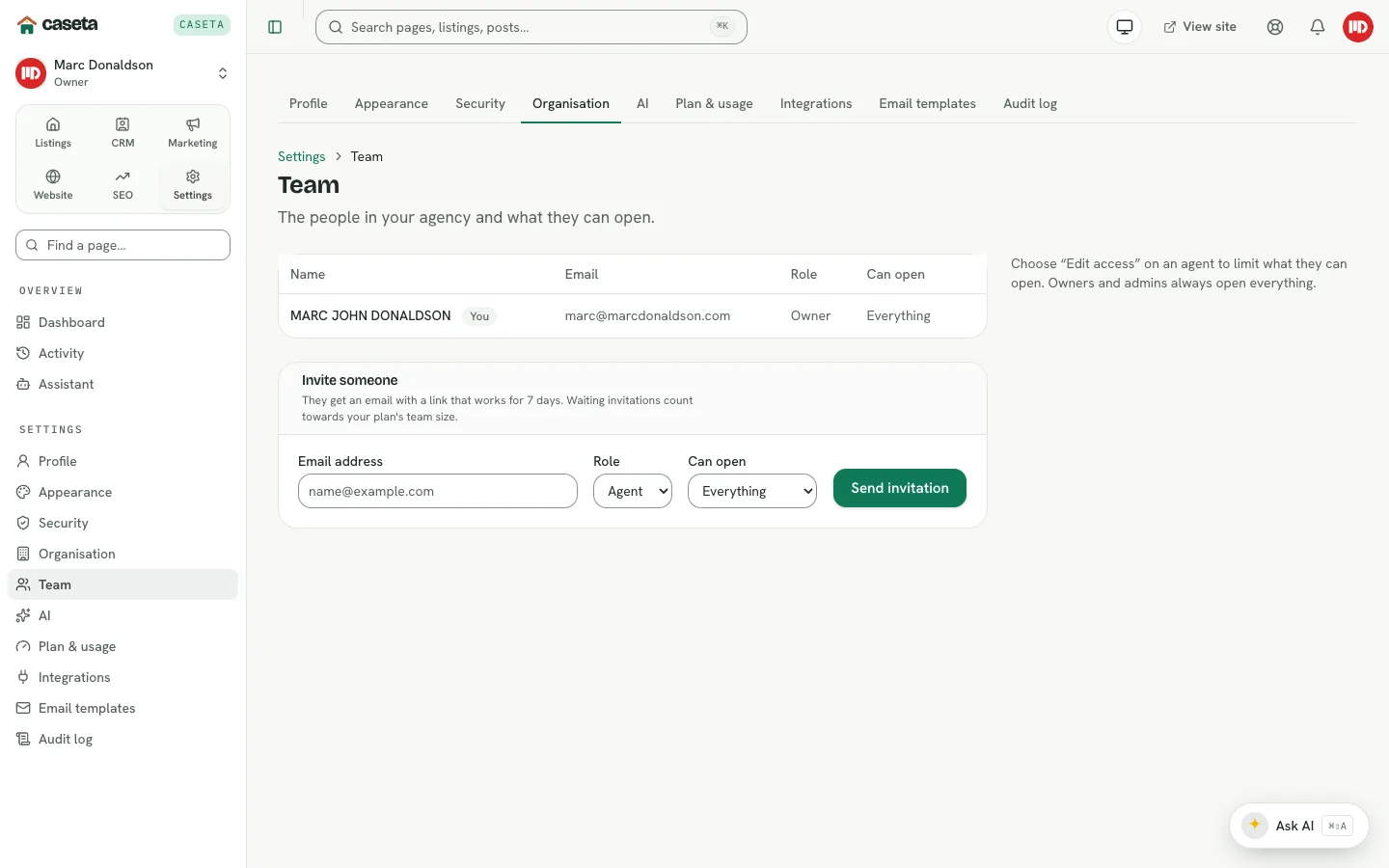
The Team page lists the people in the agency, their roles and, when access areas are on, the areas each person may open. Owners and admins invite people by email; each invitation is valid for 7 days and counts towards the plan's team size while it is waiting.
Roles
| Role | Label | Typical abilities |
|---|---|---|
| Owner | Owner | Full control, including billing and destructive organisation actions |
| Admin | Admin | Manage the team, content and settings; restricted only where a role check requires an owner |
| Member | Agent | Day-to-day work, limited by any access grant |
Role labels are what people see in the app; the stored role values are owner, admin
and member.
Step-by-Step: invite someone
- Open Settings → Team.
- In Invite someone, enter the email address.
- Choose the role.
- For a member, optionally choose an access preset.
- Select the invite action.
The person receives an email with a link. If the email fails, Caseta shows a copyable link so you can send it yourself.
Managing invitations
- Resend renews the invitation and extends it by 7 days.
- Cancel invalidates the invitation.
- Copy link lets you share the invitation directly.
Managing members
- Change role with the role selector on the member row.
- Edit access sets the areas and read-only state when access areas are enabled.
- Remove takes the person out of the organisation. Their own account remains.
- Leave lets a member leave an organisation themselves, subject to the last-owner
rule.
Understanding the limits
- The last owner cannot be removed or demoted without another owner.
- You cannot change your own access.
- Waiting invitations count towards the plan's seat limit.
- A member with no access grant is unrestricted, exactly as before access areas existed.
Common Problems
- The invitation email did not arrive. Check the address, resend, or copy the link.
- The invitation expired. Resend it; links last 7 days.
- A role change is refused. You may be trying to demote the last owner, or your role
may not allow it.
- The plan is at its seat limit. Upgrade the plan or remove a member/cancel a waiting
invitation.
- A removed person still sees data. They may still be a member of another organisation;
removing them only affects this agency.
Security and Privacy
Only invite people you intend to give access to. Review the team and pending invitations periodically. Removing a member does not delete their personal account; it removes their membership of this agency.
Screenshots

Shows the invite someone panel