Using AI Content Tools
Where AI drafting appears in Caseta and how to review generated listing copy, pages, posts, translations, follow-ups and campaign text.
Overview
AI content tools produce drafts; they do not publish anything. They appear where content is written and use the provider selected for that module. Always review generated text for accuracy, tone and legal claims before saving or sending it.
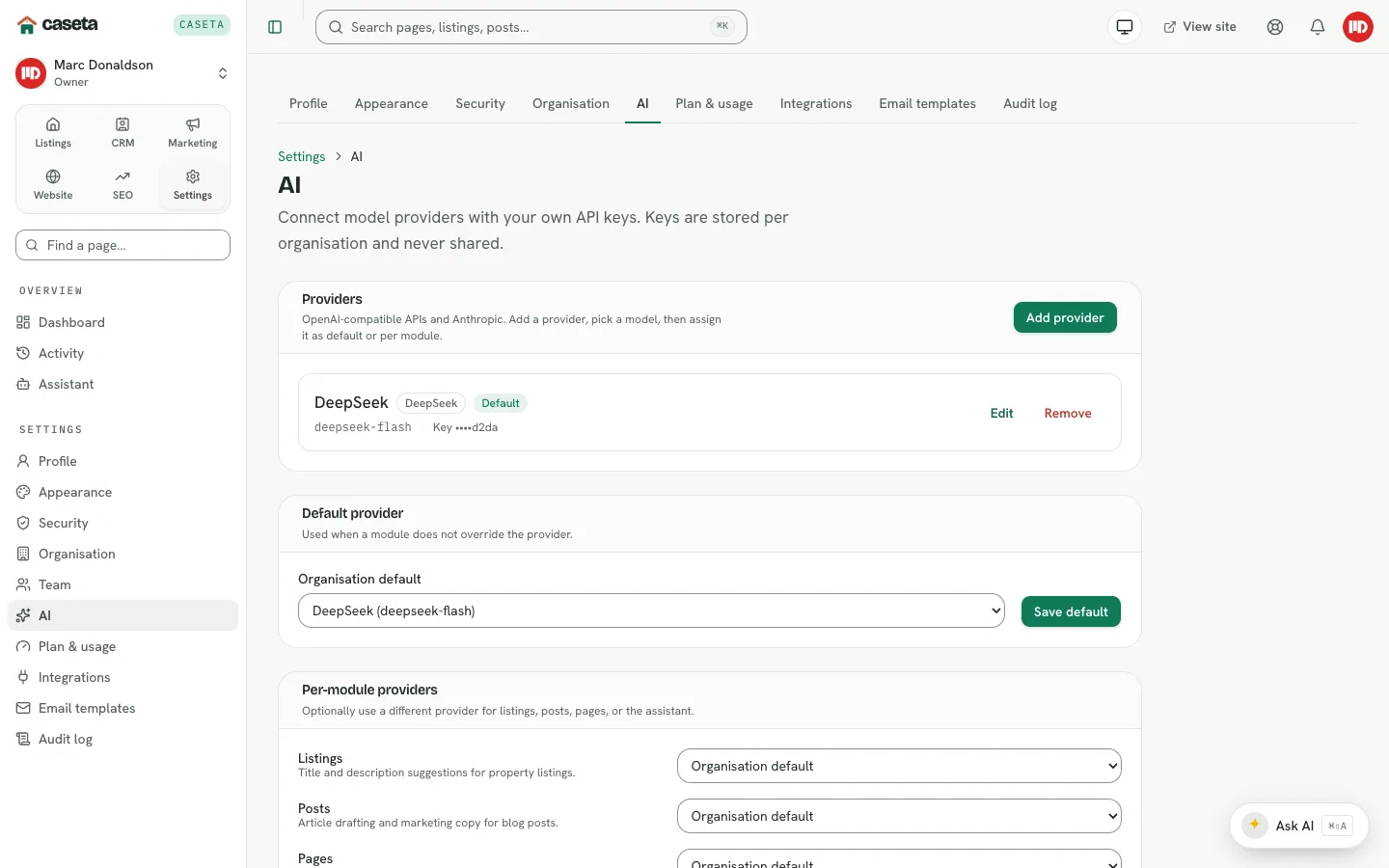
Where AI appears
| Area | What it can do |
|---|---|
| Listings | Draft or rewrite the title and description from the property facts |
| Pages and posts | Draft or rewrite content; generate a starting point |
| Translations | Help translate a page or post into another language |
| Follow-ups | Regenerate a check-in draft |
| Email campaigns | Draft a campaign subject and message |
| Social posts | Generate captions |
| LLMs | Draft llms.txt content from the site |
Step-by-Step
1. Open the writer
Open the listing, page, post, campaign, social post or follow-up you are editing.
2. Choose the AI action
Use Generate, Draft with AI or Regenerate. Some panels accept a short instruction (for example "warm, mention the sea views").
3. Review the draft
Check names, prices, measurements and claims. The model may not know a recent change. Correct anything that is wrong.
4. Save deliberately
AI output is a draft. Save it as a draft, then use the normal publishing, sending or approval step.
Understanding the provider choice
Each module can use a different provider in Settings → AI. If a module has no override, it uses the organisation default. A model that cannot use tools is a poor fit for the assistant; content drafting is less demanding.
Common Problems
- AI is disabled. Add and test a provider in Settings → AI.
- The generated text is generic. Add more facts, a clear instruction and the right
language.
- A generation fails mid-way. Check the provider status and try again; very long inputs
may exceed the model's limits.
- The translation is literal. Review and edit it; use a model suited to the language
pair.
- The assistant cannot change data. That is intentional; writes require approval.
Security and Privacy
Do not paste secrets or unnecessary personal data into prompts. Generated content is sent to the configured provider. Review output for accuracy and for statements the agency cannot substantiate.