Viewing Social Analytics
How to record and review reach, engagement, clicks and leads for social posts, and use best-time guidance.
Overview
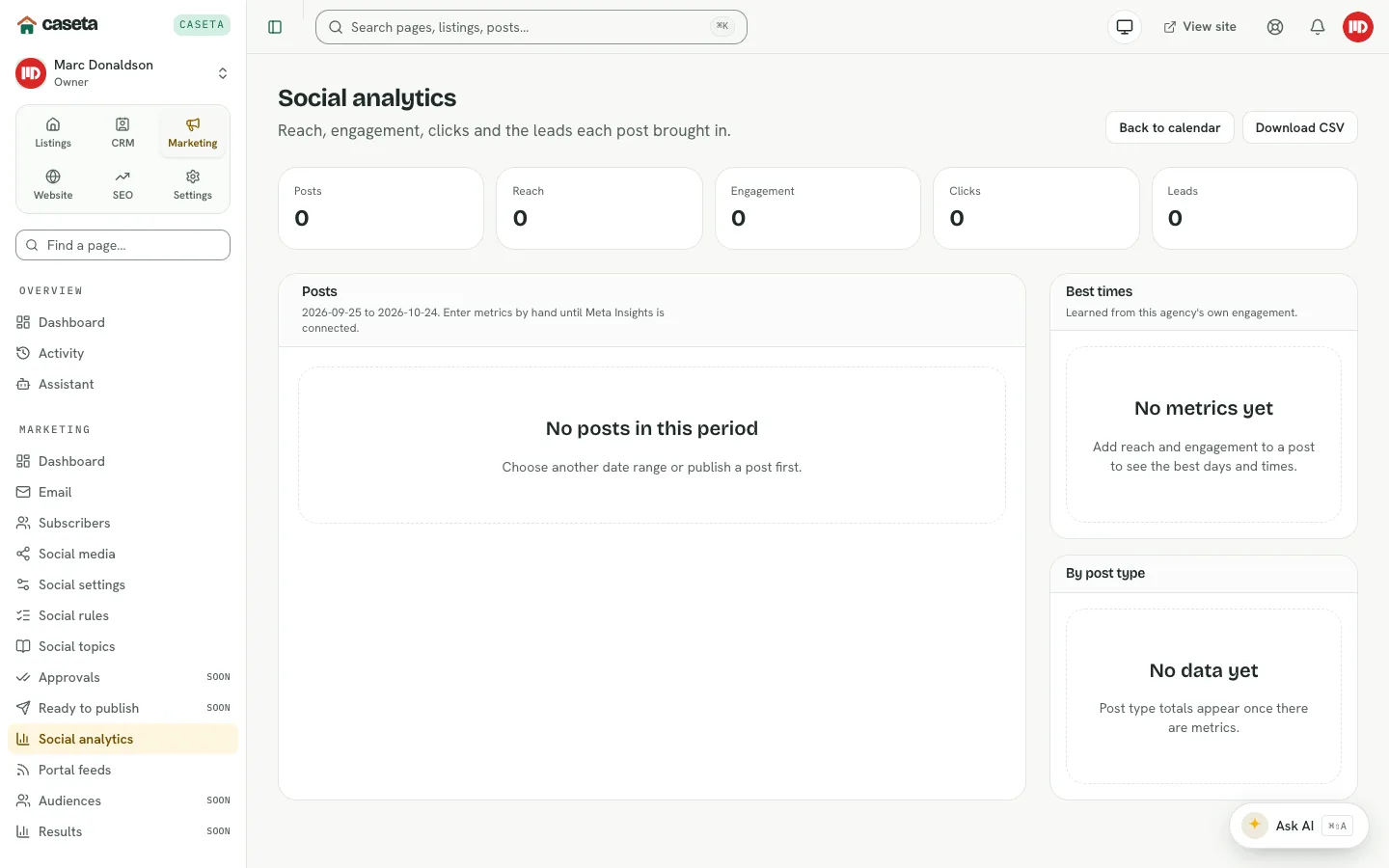
Social analytics records the outcome of posts. Because publishing may be completed by hand, Caseta lets the team enter the metrics a platform reports and then compares posts, formats and posting times.
Step-by-Step Instructions
Step 1: Open analytics
Choose Marketing → Social media → Social analytics.
Step 2: Record metrics
Select a post and enter the metrics you have from the platform, such as reach, engagement, clicks and leads. Save.
Step 3: Read the summaries
The page groups results:
| Panel | Shows |
|---|---|
| Posts | Metrics per post |
| Best times | Which posting windows perform best |
| By post type | How formats compare |
Step 4: Adjust the calendar
Use the best-time guidance and the format comparison to change future posts and rules.
Understanding the data
Metrics are only as complete as what the team records. A post with no metrics is not counted as zero performance; it is simply missing data. The page may still show guidance derived from the posts that do have metrics.
Common Problems
- No data appears. No post has metrics recorded yet.
- The best-time guidance is weak. There are too few posts with metrics. Record more.
- A metric is rejected. Use a whole number within the field's accepted range.
- A published post is missing. It may have been skipped, deleted or not marked
published.