Overview of the Website Workspace
How Caseta's website workspace fits together: pages, posts, media, menus, design, domains and settings.
Overview
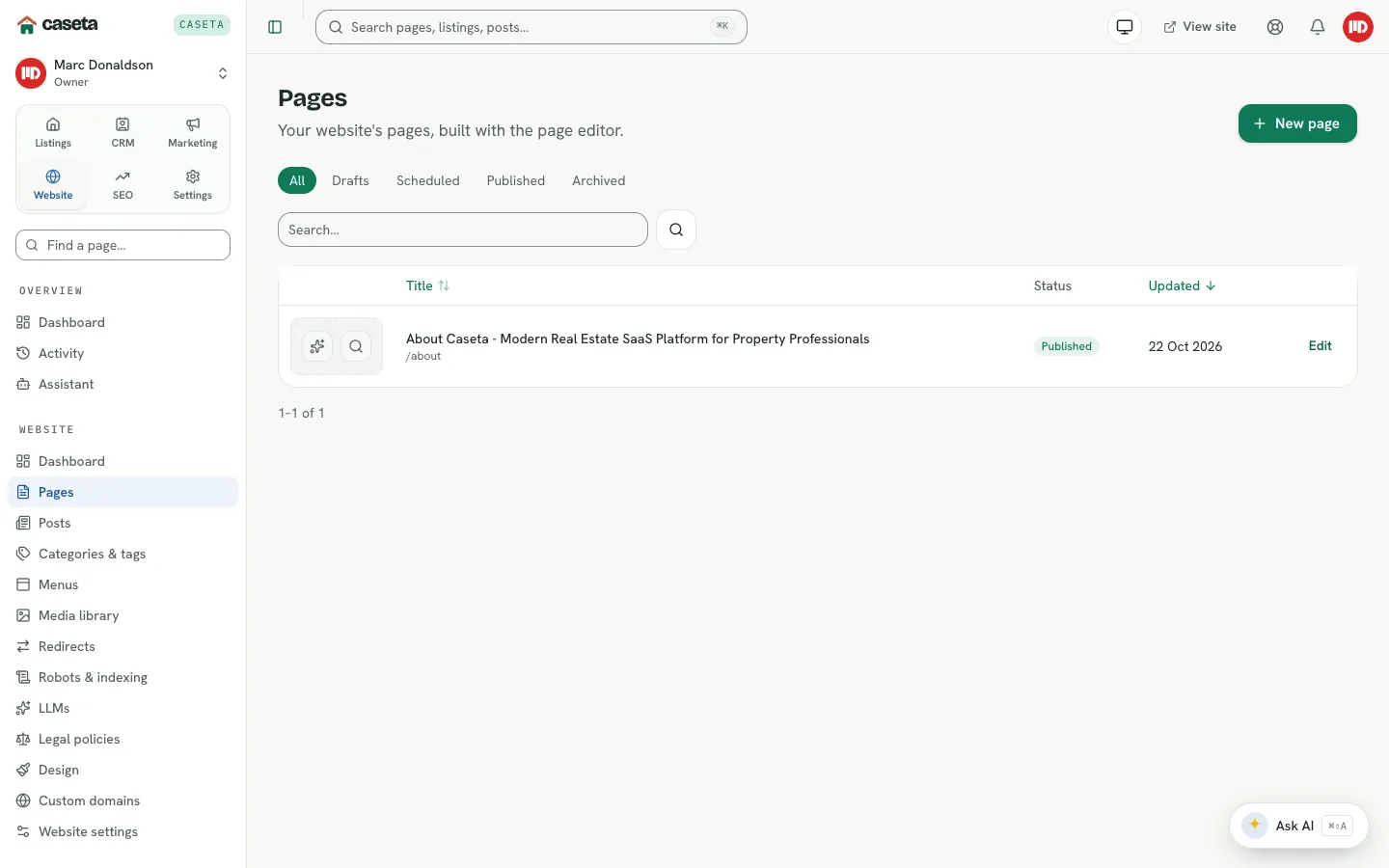
The Website workspace controls the agency's public site. It holds pages, blog posts, categories and tags, navigation menus, a media library, redirects, indexing files, an LLM guide, legal policies, the design studio, custom domains and the site's settings.
The public site itself is served by Caseta's organisation renderer, not by this members area. What you change here determines what visitors see there.
Who Is This For?
Agents create and edit content. Owners and admins manage design, domains, indexing, LLM settings, legal policies and website settings.
Step-by-Step Instructions
Step 1: Check the site is live
Open Website → Website settings → Publishing and confirm Publish this site is on. Until it is on, the agency's address returns 404.
Step 2: Add core pages
Open Website → Pages and create the Home, About, Contact and any service pages. Each page starts as a draft.
Step 3: Add posts
Use Website → Posts for news and articles. Posts can have categories and tags.
Step 4: Build the menus
Open Website → Menus to add pages, posts, listings, categories or custom links to the header and footer menus.
Step 5: Choose the design
Open Website → Design to edit sections, colours, fonts, header/footer and buttons with a responsive preview.
Step 6: Upload media
Use Website → Media library for images and PDFs that pages, posts and the design can reuse.
Step 7: Configure discovery and legal pages
Use Redirects, Robots & indexing, LLMs and Legal policies to control how search engines and AI tools see the site and to publish required policies.
Step 8: Connect a domain (optional)
Open Website → Custom domains to add an agency domain and see the DNS records.
Understanding the Sections
| Page | Purpose |
|---|---|
| Pages | Website pages and their publishing state |
| Posts | Blog/news posts |
| Categories & tags | Post grouping |
| Menus | Header and footer navigation |
| Media library | Reusable images and PDFs |
| Redirects | Old address to new address mapping |
| Robots & indexing | Crawler and discovery controls |
| LLMs | llms.txt and llms-full.txt |
| Legal policies | Terms, cookies and privacy |
| Design | Visual design studio |
| Custom domains | Domain connection and verification |
| Website settings | Publishing, identity, contact, languages, SEO defaults and spam protection |
What Happens Next?
Content is saved as a draft until published. The site is only readable when the master publishing switch is on. Changing a page or post invalidates the public read model so the next visit reflects the change.
Common Problems
- The public site is 404. The master Publish this site switch is off.
- A page is missing. It may be a draft, scheduled, archived or not in the menu.
- Changes do not appear. Wait for the cache to refresh or reload the public page.
- You cannot open design or settings. Those areas are limited to owners and admins.