Marketing reference Last verified 2026-10-24
How to Configure Social Settings
How to set social time zone, approval policy, brand tone, languages, tracking and compliance options.
Overview
Social settings control how Caseta plans and approves posts. They apply to generated and manual posts. Only owners and admins can change them.
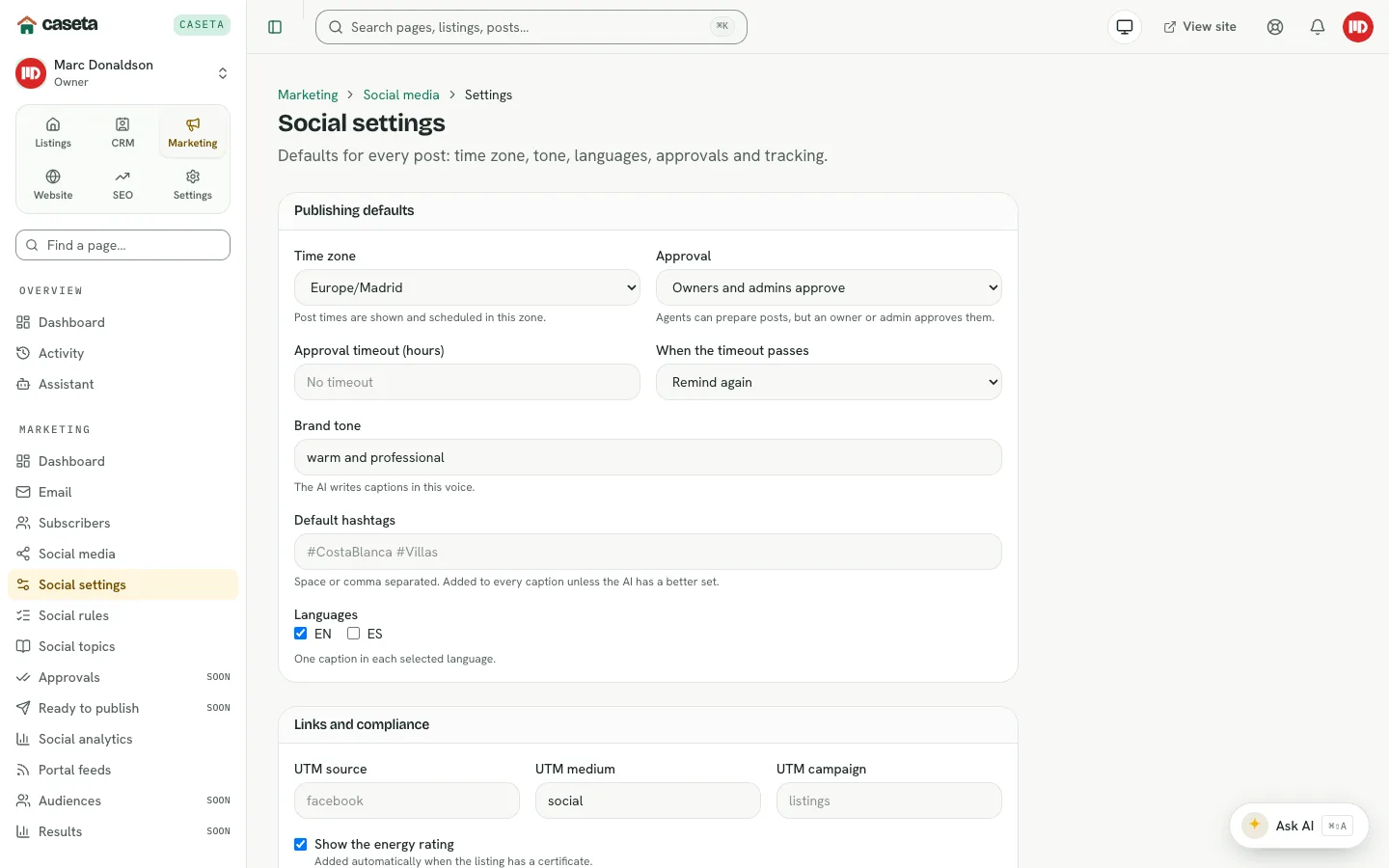
Step-by-Step Instructions
Open Marketing → Social media → Settings.
Publishing defaults
| Field | Purpose | Notes |
|---|---|---|
| Time zone | The zone used for planning and displaying posts | Choose the agency's zone |
| Approval policy | When a post needs a person | Depends on the policy options |
| Approval timeout (hours) | How long to wait before acting | 1–720; blank means no timeout |
| Timeout action | Remind again, approve and post, or skip | Used after the timeout |
| Brand tone | Guidance for generated captions | Required; up to 200 characters |
| Default hashtags | Hashtags added to captions | Space-separated, with # |
| Languages | Caption languages | At least one |
Links and compliance
| Field | Purpose | Notes |
|---|---|---|
| UTM source | Tracking source | Up to 64 characters |
| UTM medium | Tracking medium | Up to 64 characters |
| UTM campaign | Tracking campaign | Up to 64 characters |
| Energy rating in captions | Whether the rating is shown | On/off |
| Hide price when sold | Whether the price is hidden for sold properties | On/off |
Select save.
Understanding the effects
- The time zone affects the calendar, rules and displayed times.
- The approval policy decides whether generated posts appear in Approvals.
- Brand tone and default hashtags shape AI captions.
- UTM values are applied to links in captions where a link is present.
- Compliance switches change what appears in captions for sold properties and energy
ratings.
Common Problems
- Posts appear on the wrong day. Check the time zone here and on the individual rule.
- Everything needs approval. The approval policy requires a person; change it only if
the agency is comfortable with automatic approval.
- Hashtags are duplicated. Remove them from the default list or from individual
captions.
- You cannot edit. Social settings are owner/admin only.