Creating Portal Feeds
How to create keyed XML exports of published properties for portals, developers and partner agencies.
Overview
A portal feed is a keyed XML export of your published properties for a portal, developer or partner agency. The key is shown once when created; the partner uses the resulting link to fetch the feed. Only manual listings that are published, available and included in portal exports are sent.
Who Is This For?
Agents, admins and owners with the portal-feed module.
Step-by-Step Instructions
Step 1: Create the export
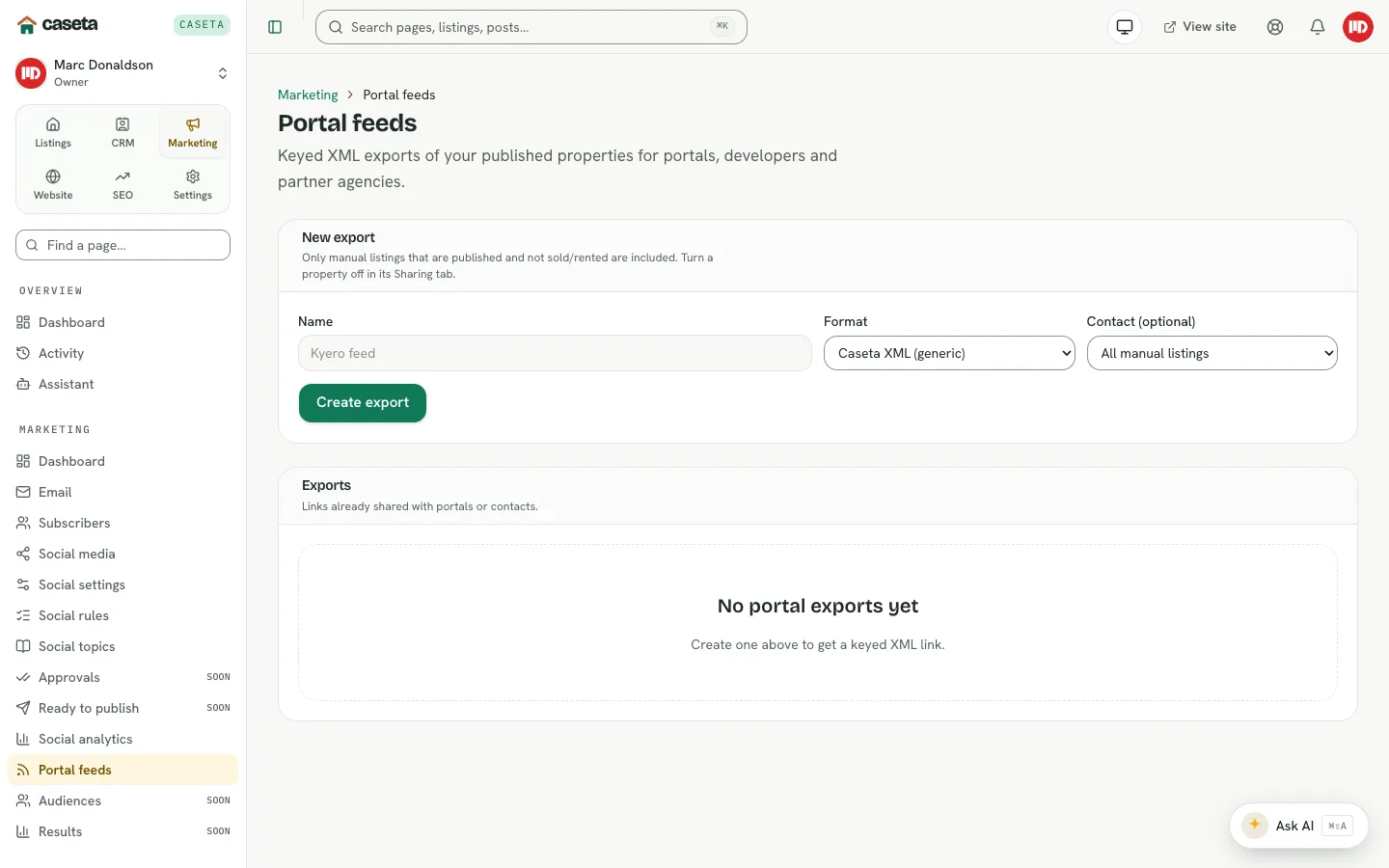
Open Marketing → Portal feeds and complete New export:
| Field | Purpose | Validation |
|---|---|---|
| Name | The export's label | Required; up to 80 characters |
| Format | Caseta XML, Kyero XML, Idealista (generic XML) or Fotocasa (generic XML) | One of the formats |
| Contact | Restrict the export to one contact's properties | Optional |
Select create. Caseta shows the key once; copy it immediately.
Step 2: Share the link
Send the keyed feed URL to the portal or partner. Anyone with the key can fetch the feed, so treat it as a secret.
Step 3: Choose properties
Open the export. The Properties panel lists the included manual listings. Use the toggle to remove a property from this export. To exclude a property from every feed, turn off Include in portal exports in the listing's Sharing tab.
Step 4: Monitor fetches
The Fetches panel shows how many times the key opened the feed. IP addresses are stored only as hashes.
Step 5: Rotate or delete
- Rotate creates a new key and invalidates the old link. Copy the new key once.
- Delete removes the export.
Which listings are included?
A listing is included when it is:
- a manual listing (not deleted),
- published,
- available, reserved or under offer (not sold/rented),
- and not excluded from portal exports.
Common Problems
- The partner sees no properties. Check the listing status, the portal-export toggle
and any contact restriction on the export.
- The feed no longer works. The key may have been rotated or the export deleted. Share
the new link.
- A sold property still appears. Check its market status; sold/rented listings are
excluded.
- You cannot create an export. The plan may not include the portal-feed module.
Security and Privacy
The keyed URL is a bearer credential. Share it only with the intended recipient, rotate it if it leaks, and avoid posting it publicly. The feed exposes public property data, not private notes.